The Progress Report App Built for the Front Line
Stop spending hours compiling progress reports from scattered notes and photos. Sitemate automatically drafts progress reports from site activity, photos, and supervisor logs—so you can review, adjust, and submit accurate updates without the end-of-week scramble.

Trusted by companies, projects and teams of all sizes















Why Progress Report management Is Harder than It Should Be

Hours lost compiling scattered information
Site supervisors spend hours at the end of each day or week gathering notes, photos, and verbal updates to create progress reports.

Progress percentages are guesswork
Without real-time tracking, completion percentages become estimates rather than accurate measurements of actual work completed.

Reports submitted late or incomplete
Missing information and time pressures result in delayed submissions that leave clients and head office without visibility.

Critical milestones get missed
Important progress updates slip through the cracks when relying on memory and manual compilation days after work is completed.
A Smarter Progress Report App

Automatic report compilation from site data
Progress reports are drafted automatically from daily site photos, supervisor notes, and logged work activities—no manual compilation required.

Real-time progress tracking with photos
Every milestone is documented with timestamped photos and linked to work records, creating an accurate project timeline as work progresses.

Review and adjust before submission
Project managers review all progress data, adjust completion percentages, add context about delays or changes, then submit with confidence.

Critical milestones get missed
Clients and head office receive photo-backed progress updates on schedule, improving transparency and project visibility.


Understanding Progress Report Software
What makes effective progress reporting
Effective progress reports require accurate data capture during work execution, not after-the-fact compilation. The best reports combine quantitative progress measurements with visual documentation and contextual notes about challenges or changes. Consistency in reporting format and timing builds client trust and enables proactive project management. Timely progress reporting also supports better resource allocation, early identification of potential delays, and clear communication between all project stakeholders. When progress data is captured as work happens, reports become a project management tool rather than just a client communication requirement.
Key elements of construction progress reports
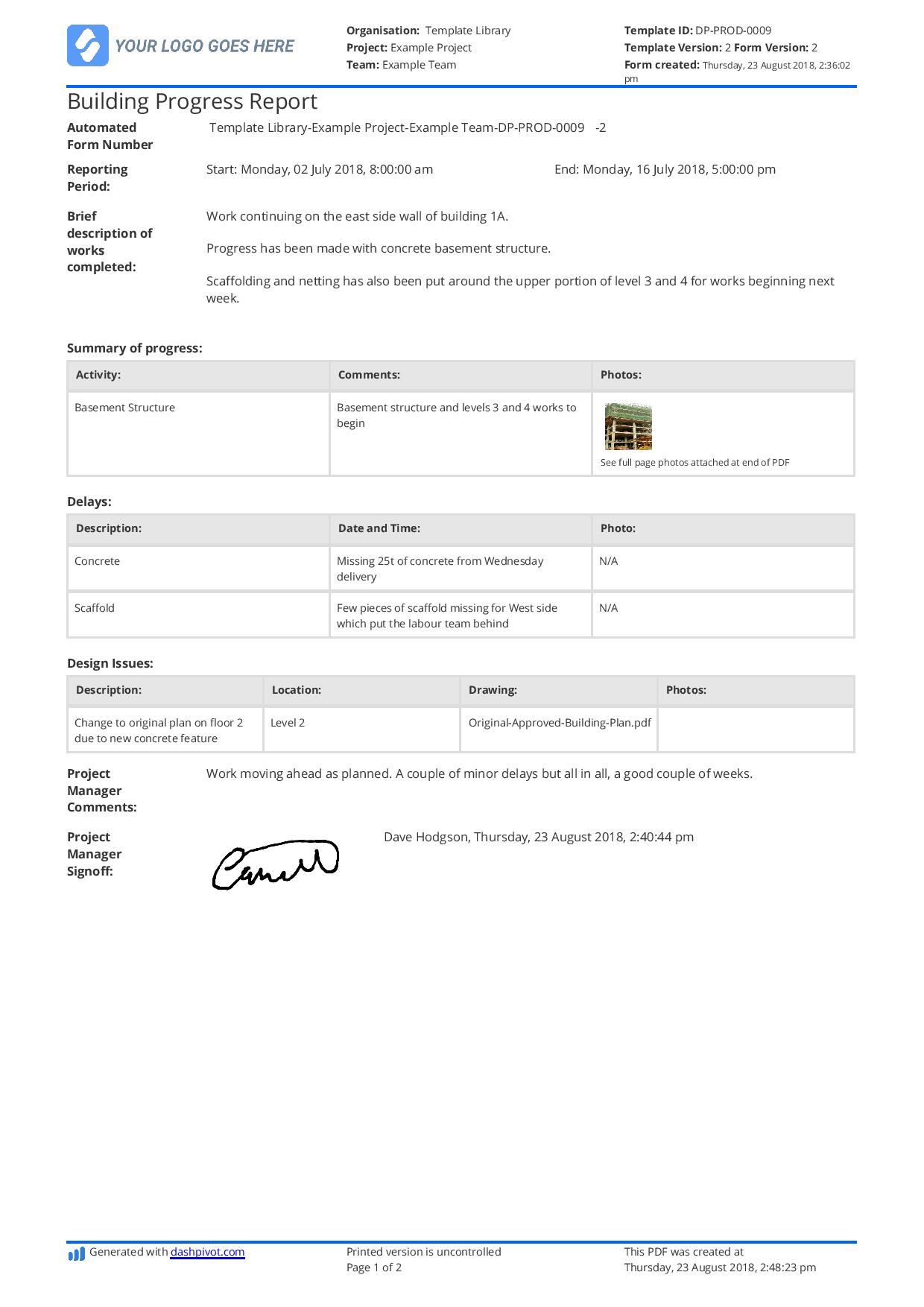
- Work completed by trade and area with percentage completion
- Timestamped photos showing current site conditions
- Narrative descriptions of major milestones achieved
- Issues, delays, and risk factors identified
- Resource deployment and workforce levels
- Next period priorities and expected completions
Integration with project workflows
Progress reporting works best when integrated with daily site management activities. Site inspections, quality checks, safety observations, and work completion records should all feed into progress reporting systems. This integration ensures reports reflect actual site conditions and progress rather than estimates or outdated information.
How To Set Up a Digital Progress Report Using Sitemate
Step 1:
Step 2:
Train teams on data capture. Site supervisors and engineers learn to capture progress photos and notes in real-time using mobile devices, ensuring all work completion is documented as it happens.
Step 3:
Establish review processes. Define who reviews and approves progress reports before submission, and set up approval workflows that maintain quality while meeting reporting deadlines.
Step 4:
Test report generation. Run test progress reports using captured site data to ensure formatting, photo placement, and progress calculations meet client and internal standards.
Step 5:
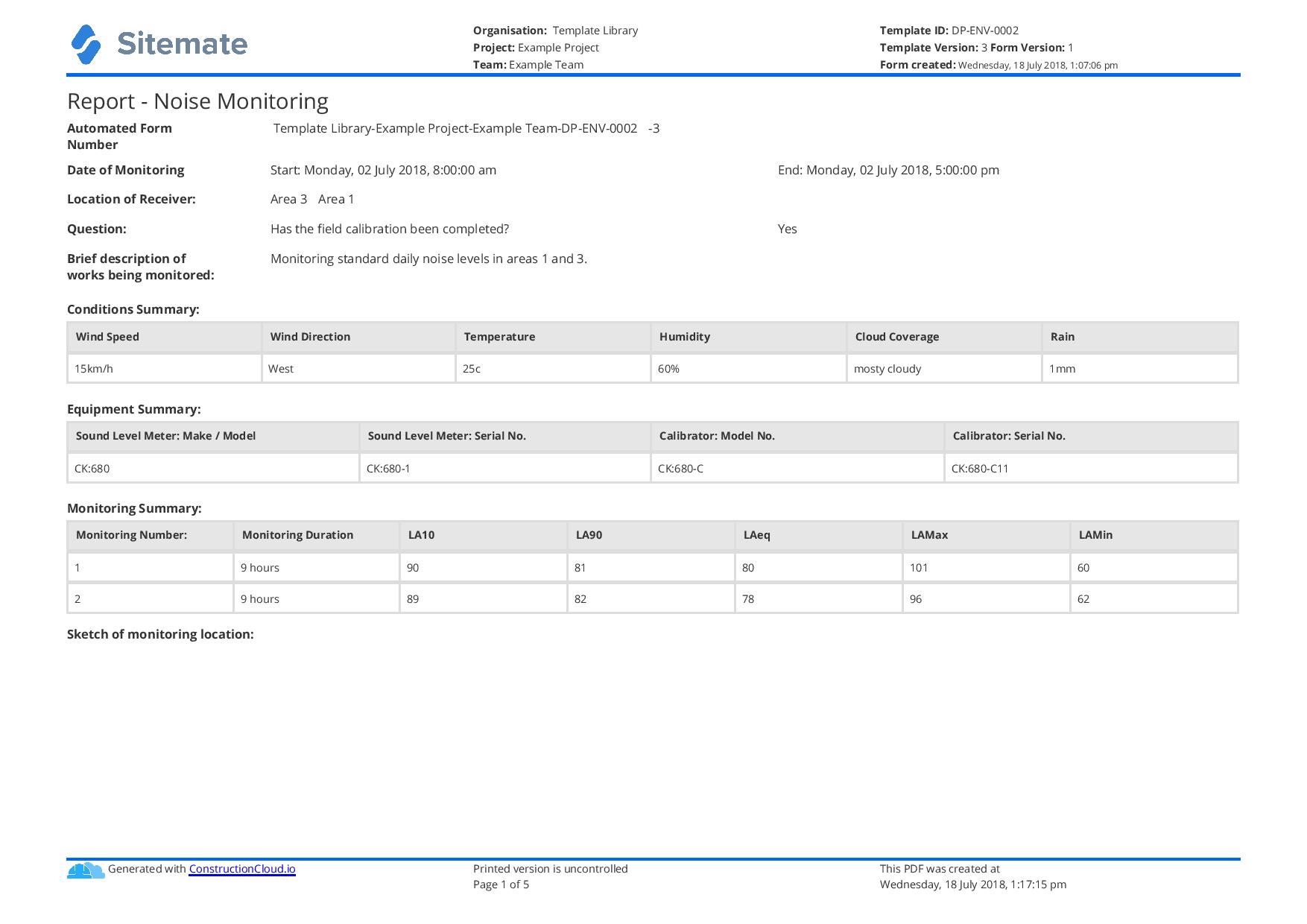
Start Faster With Built-In Progress Report Templates

See How Sitemate Has Already Helped Companies Like Yours

"Instead of spending 5 days on data entry, it's now just ad hoc time checking the data coming in electronically."
- Rhys Thomas, CFO
95% time saved
On manual HR data entry tasks
0 lost forms
Thanks to digital submission
Enterprise progress reporting with Flowsite
Flowsite extends progress reporting across multiple projects and stakeholders, with automated distribution to clients, head office, and project teams based on defined schedules and approval workflows.
Comparison: Paper Progress Report vs Digital Progress Report
Most project teams already know paper and spreadsheets aren't cutting it. Here's what changes when you move your method statements to a digital system.
Real-time Progress Capture
Automatic Report Compilation
Photo Team by Zone
Timestamped Progress Records
Searchable Project History
Versioning
Approvals
Audit Trail
Actions and Follow-ups

Paper
Frequently asked questions about Progress Report
Will AI get the progress percentages right?

AI drafts progress percentages based on logged work completion and supervisor input captured during the reporting period. The project manager reviews and adjusts all percentages before submission, ensuring accuracy while saving compilation time.
How does photo team work for progress reports?
Photos are automatically structured by work zone and date when captured on site. AI selects relevant photos for each report section, but project managers can swap photos or add additional images during the review process.
Can progress reports match our existing client formats?
Yes, report templates can be tailored to match your client requirements and branding. The system maintains consistent formatting while pulling in project-specific data and photos.
What happens if supervisors forget to log daily activities?
The system can generate reports from available data and flag missing information for the project manager to add during review. However, consistent daily logging ensures the most accurate and complete progress reporting.
How long does it take to review and submit a progress report?
Most project managers spend 10-15 minutes reviewing an AI-drafted progress report, compared to 2-3 hours for manual compilation. Review time depends on project complexity and any adjustments needed.
Can clients access progress reports in real-time?
Progress reports are submitted according to your established schedule (daily, weekly, etc.). Clients receive the approved reports via email or can access them through client portals where configured.
How are delays and issues highlighted in progress reports?
AI identifies potential issues from site logs and supervisor notes, flagging delays, safety concerns, and quality issues in the progress summary. Project managers can add context or adjust these flagged items during review.
 English (United States)
  English (Australia)
  English (UK)
  English (New Zealand)
  English (South Africa)
  German