The Method Statement App Built for the Front Line
Sitemate helps supervisors and engineers create method statements fast when high-risk work is about to start. Draft from work details, review and sign off, and keep every record ready for audits from day one.

Trusted by companies, projects and teams of all sizes















Why Method statement management Is Harder than It Should Be

Time
Writing from scratch under pressure slows planning and pushes prep to the last minute.

Consistency
Formats vary by site and person, so quality is uneven and reviews take longer.

Risk
Missing or incomplete statements raise compliance exposure and can stop work from starting.

Delays
When the statement is not ready, high-risk work waits and schedules slip.
A Smarter Method statement App

AI-Powered Workflows
Automate field entry, smart suggestions, and risk flagging with built-in AI

Review before sign-off
Edit any section so the final statement matches site reality

Controlled approvals
Capture sign-off so work does not start without approval

Delays
Store and retrieve statements by job, site, or team


Understanding Method statement Software
What is method statement software?
Method statement software helps teams create, review, approve, and store method statements in a consistent workflow. It supports faster planning for high-risk work by drafting from existing work details and ensuring a supervisor reviews and signs off before work begins. The result is a complete record that is easy to find later and ready for audits.
How does method statement management work?
- Capture work details from scope, drawings, hazards, and supervisor notes
- Draft the statement with suggested sequencing, controls, and responsibilities
- Review and edit each section so it matches the job and site conditions
- Approve and sign off before work begins, with a recorded trail
- Store and link the record to the job for access, reporting, and audits
Who uses method statement software?
Construction, civil infrastructure, rail, utilities, industrial services, maintenance contractors, and any teams delivering high-risk work with method statements as a required control.
How To Set Up a Digital Method statement Using Sitemate
Step 1:
Step 2:
Create drafts from work details and supervisor input
Step 3:
Set up your method statement workflow for your jobs and teams
Step 4:
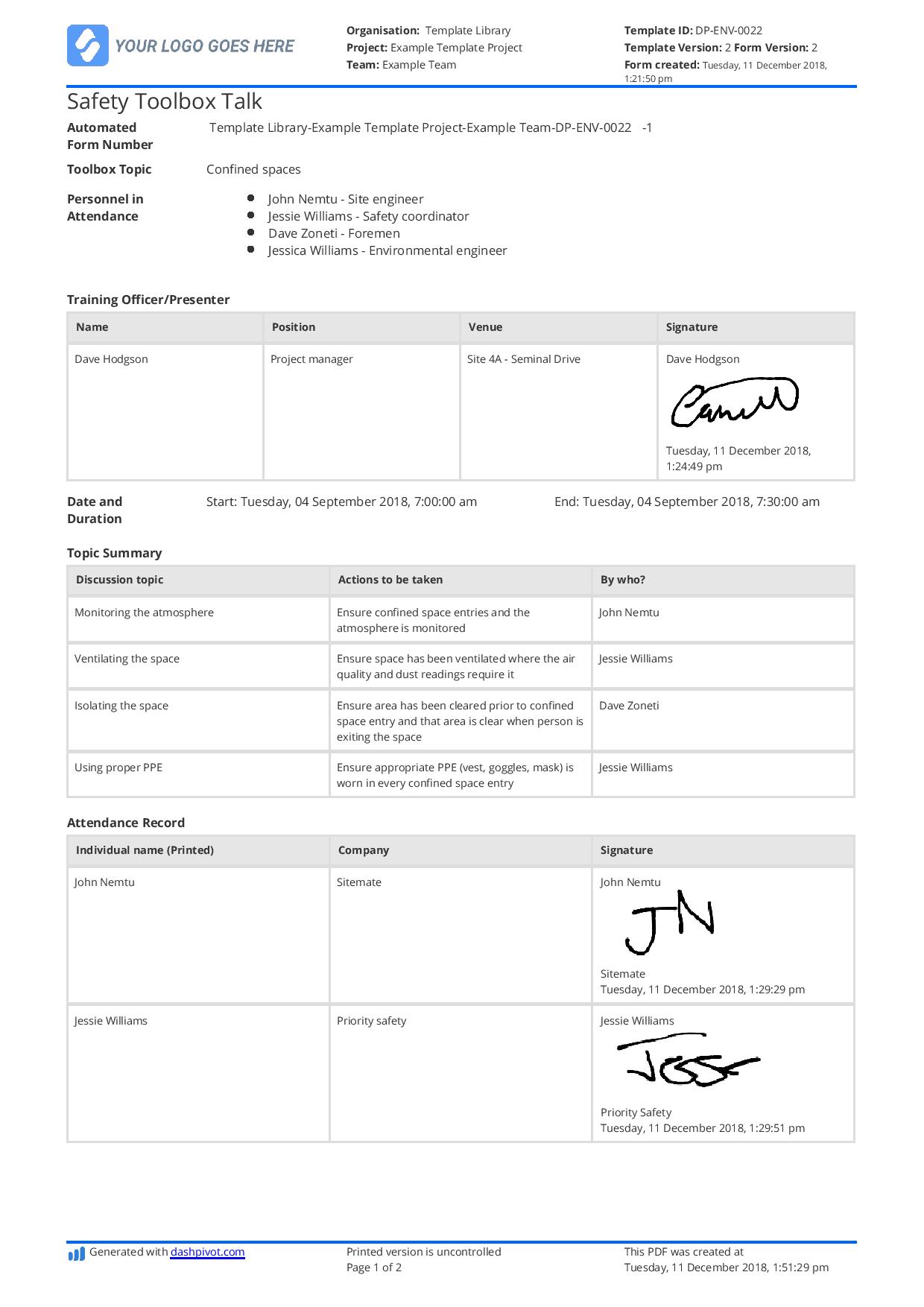
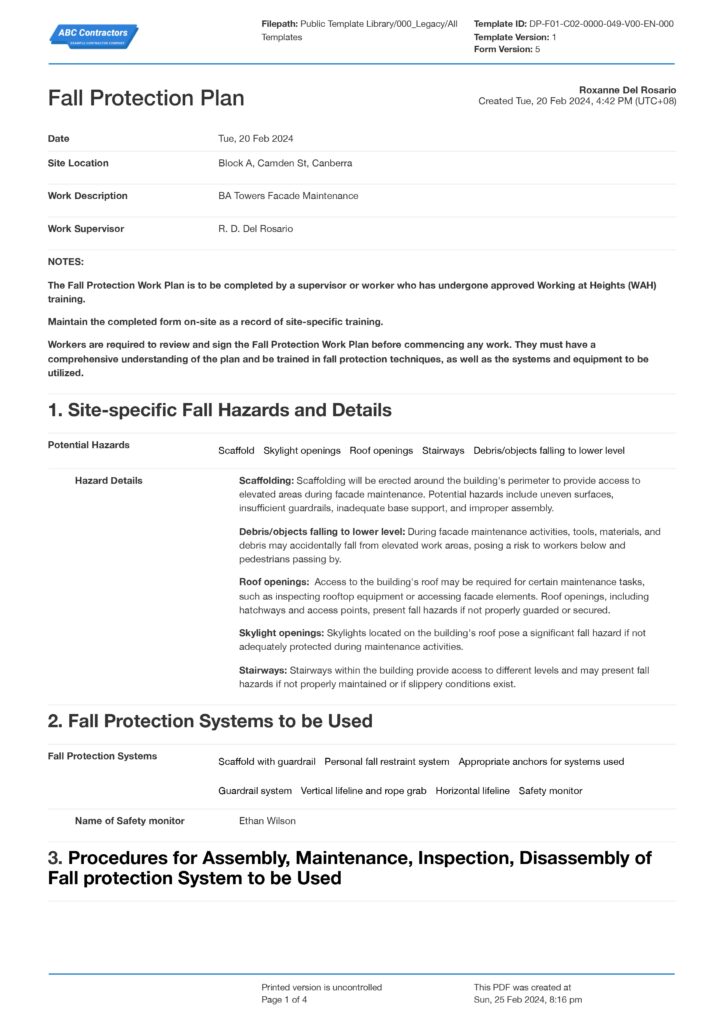
Start Faster With Built-In Method Statement Templates

See How Sitemate Has Already Helped Companies Like Yours

"Instead of spending 5 days on data entry, it's now just ad hoc time checking the data coming in electronically."
- Rhys Thomas, CFO
95% time saved
On manual HR data entry tasks
0 lost forms
Thanks to digital submission
Works With Your Existing Tools
Data captured in Dashpivot is already structured, traceable, and ready to move. Safety inspections, site diaries, asset registers. Whatever your team collects on site is structured and audit-ready from the moment it's submitted.
Flowsite connects Dashpivot to the rest of your tech stack with no-code integrations. Push data to Excel, SharePoint, Power BI, your ERP, or accounting software. Configure the connections once and every record follows the same path, automatically.
Comparison: Paper Method statement vs Digital Method statement
Most project teams already know paper and spreadsheets aren't cutting it. Here's what changes when you move your method statements to a digital system.
Versioning
Approvals
Audit trail
Offline access
Actions
Reporting
Searchability
Permissions
Audit evidence

Paper
FAQs: Method Statement
What is the best method statement app for construction teams?

Sitemate’s Dashpivot drafts method statements as supervisors plan the work. Rather than starting from a blank page, AI pulls from work orders, drawings, and site context to pre-populate hazards, controls, responsibilities, and sequencing. The supervisor reviews and approves before work starts. Every method statement is formatted consistently, linked to the job, and audit-ready from the moment it’s signed off. It works for SWMS, RAMS, and safe work method statements across any region.
Can we draft a method statement from work orders, drawings, or supervisor notes?
Yes. The AI generates a draft method statement from the details you already have: work order scope, drawings, hazard registers, and written or voice input from supervisors. It pre-populates controls, responsibilities, and work sequencing so the supervisor is reviewing a near-complete document, not building one from scratch.
How do reviews, approvals, and sign-off work before high-risk work starts?
The supervisor or engineer reviews every section of the AI-drafted method statement, edits anything that needs adjusting, and signs off before work commences. No work starts without that sign-off. The review workflow is built around the principle that AI handles the drafting, but qualified people control what gets approved and when the job can proceed.
Can supervisors edit every section before approval?
Yes. Every section of the method statement is fully editable. The AI draft is a starting point, not a locked document. Supervisors can rewrite hazard descriptions, adjust controls, reorder steps, or add site-specific details before signing off. Nothing is finalised until the supervisor approves it.
How are method statement records stored and linked to jobs?
Once approved, the method statement is logged as a digital record linked directly to the job. It’s stored in Dashpivot alongside related safety documentation, fully searchable and accessible from any device. When an auditor, client, or regulator asks for proof, the record is there, complete with sign-off history, timestamps, and the job it belongs to.
Is the method statement workflow free to try?
Yes. You can start a free trial of Dashpivot and build your first method statement workflow without a credit card. The trial gives you access to templates, AI drafting, supervisor review and sign-off, and digital record storage so you can test the full workflow on a real job before committing.
 English (United States)
  English (Australia)
  English (UK)
  English (New Zealand)
  English (South Africa)
  German